Online businesses are emerging at a rapid pace. From small businesses to big enterprises, one of the most important things to do before anything else is to build a website and get started from day one.
Compared to the past, building a website without prior knowledge and skills is possible. Thanks to the Content Management System (CMS), which requires no coding knowledge and a few simple steps to get started.
When choosing the right CMS for business, a lot of small businesses, online stores, and emerging brands rely on WordPress. The platform offers a myriad of features that help users build a stunning website without prior knowledge or spending days.
In this blog, we are going to reveal some of the reasons why WordPress is the best CMS for business websites and much more. But before everything else, let’s take a look at what WordPress is.
What is WordPress and a WordPress Website?
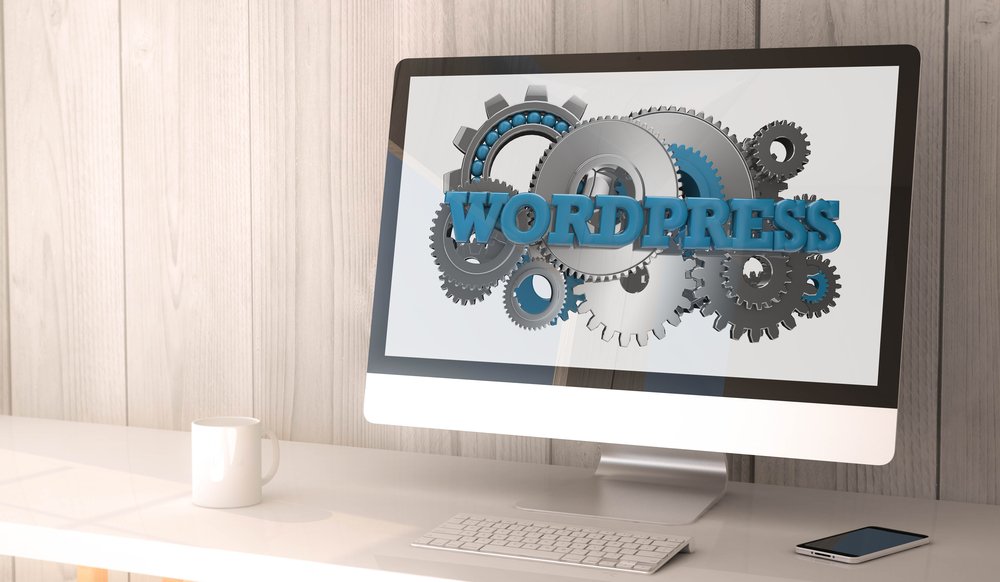
WordPress is a Content Management System (CMS) that lets you create, manage, and publish content on the web without writing code from scratch. It is just like an operating system for your website that runs your computer without putting you through the difficulty of learning complex language and programming.
A WordPress website is any website built on the popular CMS WordPress to manage its database and display content. The website could be of many forms, including but not limited to eCommerce, blog, portfolio, membership site, info site, or a business website.
WordPress vs Other Website Builders
Choosing the best website builder for the business is always puzzling, especially for those who are new to it. But several things need to be addressed beforehand. Here is a brief overview in table form to help you skim through the content and get an idea about other website builders as well.
|
Features |
WordPress |
Shopify |
Wix |
Webflow |
|
Ease of Use |
Easy to use and beginner-friendly |
Easy to start, but only for eCommerce stores |
Drag and drop make it the easiest one |
Moderate |
|
Customization |
Extremely flexible with plugins and themes |
Limited customization |
Limited design control |
High design control |
|
Plugins / Extensions |
60,000+ plugins available |
App store with limited apps |
Small app market |
Limited integrations |
|
SEO Capabilities |
Excellent with plugins like Yoast or RankMath |
Good but limited control |
Basic SEO features |
Good SEO options |
|
E-commerce Support |
WooCommerce gives full e-commerce control |
Built specifically for e-commerce |
Basic e-commerce |
Ecommerce available but limited |
|
Cost |
Low cost and open source |
Monthly subscription required |
Monthly subscription |
Monthly subscription |
|
Scalability |
Highly scalable for small to enterprise sites |
Scales well for e-commerce |
Limited scalability |
Good for design-focused sites |
|
Best For |
Blogs, business websites, ecommerce, custom sites |
Online stores |
Small business websites |
Designers and agencies |
Why Do Businesses Need a Content Management System (CMS) like WordPress?
Creating a website on a CMS comes with many benefits and allows businesses to easily manage, handle, maintain, and update content. Moreover, CMS like WordPress come with many plugins that further enhance the functionality of the website. For instance, if you want to create an online store, a simple WooCommerce plugin is going to transform your website into an e-commerce website.
WordPress is a viable choice for small and growing businesses. It offers many functionalities and features that can help in scaling the website as per the business requirements.
Let’s find out some of the reasons a Content Management System (CMS) is important and beneficial for growing businesses.
Easy Content Management
One of the reasons businesses are shifting towards a CMS system is that it is easy to manage, update, and control. From uploading the content to publishing it and spreading across different platforms, CMS like WordPress has made things easier for even newbies without any prior technical knowledge.
Quick Updating without Technical Knowledge
Whatever changes need to be made on the website, whether it be revamping the existing content or uploading a new one, anyone could do so without prior knowledge. All it needs is cretndetials details to accesss admin panel of the CMS. Once the admin panel is accessed, content management, editing, and updating can be done singlehandedly by anyone.
Assigning Roles
A Content Management System is highly effective in keeping the workflow aligned and in collaboration with the team. The users can be assigned roles according to their skillset and role to keep things going without relying on others.
For instance, WordPress allows administrators to assign roles to different sets of people based on their job descriptions. Some of them are editor, author, contributor, subscriber, super admin, and administrator. All of these roles are assigned to make sure that the website’s security is not compromised and misused by unauthorized people.
Cost Effective
Businesses are always looking to minimize costs and reap more revenue. When it comes to CMS like WordPress, it is open source and free to use. There are no monthly or yearly charges required to keep it up and running.
Moreover, one of the benefits of WordPress is that it does not require a developer to make the changes. It is obvious that developers demand a high price for anything related to changes, updates, or maintenance. Whereas WordPress reduces the dependence on these developers, allowing businesses to operate at a minimal cost.
SEO Friendliness
CMS platforms have the best SEO tools to work with in order to gain ranking and position on Google. From doing the basic SEO setup, such as submitting the sitemap and robots.txt file, and adding meta tags, to publishing posts, enhancing speed, and improving responsiveness, is all possible with CMS platforms.
WordPress, for example, allows easy SEO setup with the help of plugins like Yoast and RankMath. Just after installing the plugins, you only need to follow step-by-step instructions and get your SEO friendly website up and running in a matter of a few minutes.
Scalable for Growth
With the passage of time, businesses grow and scale at a medium or large scale. With the expansion in business, the website needs to be adjusted accordingly. Of course, you need some extra features and functionalities to perform tasks and keep up with the pace. WordPress truly makes it easy for businessowners to scale up the website as per their requirements and make it accessible to everyone.
Plugin and Integration Support
A CMS allows businesses to easily extend their website’s functionality using plugins and integrations, without building everything from scratch.
Plugins are add-ons that introduce new features to a website. For example, businesses can install plugins for SEO optimization, contact forms, security, caching, analytics, e-commerce, or booking systems.
Integration allows connecting the website with other tools and platforms that can integrate with services such as email marketing platforms, CRM systems, payment gateways, social media tools, analytics software, and customer support systems. These integrations allow data to flow smoothly between systems and automate many business processes.
Security Enhancement
When it comes to websites, they are vulnerable to many security threats. A CMS helps businesses protect their websites through built-in security features and regular updates. Most modern CMS platforms, such as WordPress, release frequent security updates to fix vulnerabilities and protect against new threats.
Security plugins can also be added to provide extra protection, such as firewalls, malware scanning, spam protection, and login security. It prevents hacking attempts, data breaches, and unauthorized access.
All of these features, CMS like WordPress helps businesses protect customer data, maintain website stability, and ensure a safe browsing experience for visitors.
Why WordPress is the Best CMS for SEO?
WordPress was released in 2003, and since then, there has been no stopping it, and millions of websites are now backed by WordPress. The reason of popularity of WordPress is not only due to ease and functionalities, but also it performs well when it comes to SEO and marketing.
In this section, we will find some of the reasons why WordPress is the best CMS for SEO.
Enhance User Experience
WordPress is a popular CMS known for many reasons, including ease of use and flexibility. One of the reasons many businesses prefer WordPress is that it enhances the user experience from the moment a suitable theme is installed, along with a plugin.
As Google considers many factors in ranking the website and placing it on top, user experience is also one of them. From responsive designs to easy navigation and friendly user experience, WordPress is the best CMS for SEO.
Easy to Manage Metadata
SEO metadata and titles are vital in letting search engines know what the page or post is about. After WordPress is installed, the user needs to enter the metadata and titles on all the pages and posts. This has to be done after completing keyword research and optimizing these posts and pages accordingly.
As we have discussed earlier, you can install Rank Math or Yoast SEO to configure SEO settings across the website.
Friendly URL Structure
WordPress is the best CMS for SEO that takes care of it right from the beginning. For instance, you can choose a permalink that is SEO friendly. Rather than using URL https://www.website.com/23123, you can choose the structure that is easy to read and SEO friendly. For instance, it could be website.com/seo-practices.
All of these elements help search engines to know what the page or post is about and when to show it against a particular query.
Core Web Vitals is Easier
One of the vital components of SEO includes core web vitals. Optimizing for Core Web Vitals is essential for a seamless user experience, and thanks to WordPress, it’s also highly manageable. WordPress is built with SEO in mind, and you have access to plugins designed to streamline performance.
These tools allow you to strip away redundant scripts and prioritize the loading of critical on-page elements. By refining these metrics, you don’t just improve your search engine rankings. You create a faster, more engaging site that keeps visitors from bouncing.
Better Web Design Control
SEO not only revolves around the content, but also around on-page and onpage/offpage SEO. It consittures several factors, which most importantly include user friendliness and experience. With the help of plugins and page builders such as Gutenberg and Elementor, a website design can be improved, which allows easy navigation and scrolling for users.
Why is WordPress Best for E-commerce?
Building an online store using WordPress is as easy as running a simple blog or business website. All you need to do is install a WooCommerce plugin in addition to some supporting ones to run an online store. Compared to Shopify, which is quite expensive, especially if you are a startup, WordPress provides everything for free. However, to enhance the functionality of your E-commerce store, you need to pay for some extra features.
In this section, you will learn why WordPress is best for online stores. Let’s dive in.
Easy to Set Up and Free
WordPress is an open source Content Management System that allows users to use it without any extra cost. If you are thinking of installing any other CMS to build an online store, just stop and look for their monthly plans. Are they affordable and easy to manage for you as a startup? If not, WordPress is the best CMS for eCommerce stores. For any extra functionalities, additional plugins can also be installed.
Easy to Customize
WordPress for an e-commerce store gives you complete freedom to customize your store according to your requirements. From changing the appearance of your store to displaying additional elements on your website, WordPress is best for online stores.
You can even change the display settings of the product with the help of a plugin. Moreover, you can design and publish a landing page that allows you to convert more and drive more sales. The payment gateway can also be easily managed through WordPress.
Scalable for Growing Businesses
Don’t let your platform limit your potential. WooCommerce provides a future-proof foundation for long-term growth. As your business evolves, you can easily expand your store’s capabilities via specialized plugins, robust hosting upgrades, and performance tuning, keeping the user experience flawless. Moreover, you can also ensure speed and core web vitals as per Google’s guidelines.
SEO Friendliness
eCommerce for WordPress website is a great choice for those who want to gain organic results in less time. With the ability to optimize each product page and landing page, your e-commerce store can gain easy traction and achieve higher rankings on Google.
As we have already discussed, you can install Yoast or Rank Math to do the optimization of your website.
Integration with Marketing Tools and CRM
WordPress acts as a high-speed data bridge between your website and your marketing stack, primarily through API-driven automation tools. When a visitor interacts with your site, whether by submitting a lead form, making a purchase, or engaging with content, WordPress instantly captures that data and syncs it with your CRM (like HubSpot or Salesforce) or email platform (like Mailchimp). This seamless integration allows you to automate repetitive tasks, such as tagging customers based on their behavior or triggering personalized follow-up campaigns, ensuring your sales funnel operates 24/7 without manual data entry.
Summing Up
WordPress is a blessing in today’s digital era, when the survival of businesses lies in online presence. A little hands-on experience with WordPress will help you to manage your business online without any technical difficulties.
Take control of your digital presence with the world’s most powerful, flexible, and scalable CMS.
Whether you’re building your first site or expanding a global brand, WordPress gives you the freedom, performance, and customization your business needs to grow, without the technical headaches.
How Dev Souls can Help You in Building a Website?
Choose WordPress and unlock your business’s full potential today. Your brand is unique; your website should be too. And if you find it challenging to get started, Dev Souls is all you need to help you build a professional website.
We help small businesses build powerful, professional WordPress websites tailored to their goals. From custom designs to advanced functionality, we create fast, secure, and easy‑to‑manage sites that elevate your brand and support long‑term growth. With a focus on clarity, performance, and affordability, we make it simple for small businesses to stand out online.
Here’s why Businesses Trust Us?
Fast, Secure, and Optimized: We build websites with performance and security in mind, giving small businesses a site that loads quickly, ranks better, and keeps customer data safe.
Professional, Modern Design: Your website becomes a better version of your brand, designed to impress visitors and convert them into customers.
Scalable Features & Integrations: From booking systems to e‑commerce to CRM integrations, we add the tools your business needs today, tomorrow, and a year later.
Easy to Manage: We deliver clean, intuitive WordPress setups so you can update content, add pages, and manage your site without relying on a developer.
Affordable Pricing: High‑quality development without enterprise‑level costs, tailored to fit small‑business budgets.
Ongoing Support & Maintenance: We don’t disappear after launch. You get reliable support, updates, and guidance to keep your site running smoothly.
Book a Consultation now with Dev Souls to launch your website.