The end is near when businesses are reluctant to go online and show their digital presence. With the evolution of digital marketing, staying offline means giving competitors an edge to make more sales and drive more revenue.
If going online haunts you because you don’t know anything about coding and complex stuff, just remember, time has changed. You can build your business empire without moving an inch. A large majority of websites are developed on WordPress. You can either do all the customizations by yourself or simply outsource WordPress website development to a leading agency.
The second option feels reasonable, and businesses mostly prefer it due to time-saving. Let’s dive deep into WordPress website development and everything business owners need to know.
What is WordPress Website Development?
WordPress website development is the process of creating a website using WordPress, one of the world’s most popular website platforms.
It involves:
- Setting up WordPress on hosting
- Choosing or designing a theme (how the site looks)
- Adding pages, content, and images
- Installing plugins for extra features (like contact forms, SEO, or e-commerce)
- Customizing design and functionality
In simple terms, WordPress website development means building and customizing a WordPress website to look professional, work smoothly, and meet your business or personal goals.
Key Elements of WordPress Website Development?
The key components of WordPress website development include:
Theme: WordPress offers a wide range of themes to suit specific business requirements. The premade templates are customizable and can be tailored according to the brand’s specific requirements. For instance, colors, fonts, layout, and overall style and feel of the website can be customized from scratch.
Plugins: Businesses might need some extra features that do not come with WordPress. The plugins can be installed in WordPress to enhance functionality and integrate more features in the website. For instance, the “Easy Social Share Buttons” plugin allows website owners to add social icons to their website for visitors to share content and follow the social handles.
Pages: Pages on the WordPress website are static and are not associated with time and date. They remain static and can be customized according to one’s requirements. For instance, homepage, about us, contact us, and services are all examples of WordPress pages.
Posts: Posts are individual, time‑sensitive entries, such as articles or updates, published to provide readers with new and relevant content.
API (Application Programming Interfaces) Integrations: API Integration allows webmasters to connect to a third-party service or application to use the service seamlessly on a website. For instance, the PayPal API integration will allow businesses to setup payment gateway on their website to receive payments from customers.
How does WordPress Website Development Work?
WordPress is a popular Content Management System (CMS) that allows easy website development. However, if you are new to WordPress, here’s how WordPress website development works.
Phase 1: Preparation and Infrastructure
Defining the Goal: The first step in WordPress website development is knowing the objective of the website. For what purpose is it being developed for. Whether it is a service-based website, a restaurant-based website, or a portfolio website. The purpose of the website will determine what type of plugins and WordPress theme will be used.
Buying a Domain: Once you have decided on the purpose of building a website, the next step is to buy a domain name. Make sure to choose a name that is short, memorable, and gives a hint about your business.
Choosing a Hosting Provider: After buying the domain name, the next step in WordPress website development involves buying a hosting plan. It all depends on your business nature. For instance, if you are running a multi-vendor e-commerce store, you need not less than a managed WordPress hosting. However, for a single-page portfolio website, a shared hosting plan is enough.
Installing WordPress: Once you have connected your domain to the hosting, the next step is to install WordPress. It could be done from cPanel directly with just one click.
Phase 2: Configuration and Settings
Once WordPress is installed, the next step involves cleaning the mess before diving straight into designing and publishing. Here’s what you need to do.
Clean Up: Delete the default Hello World post and the Sample Page.
Permalinks: Go to Settings > Permalinks and select “Post Name.” This makes your URLs look like yoursite.com/about/ instead of yoursite.com/?p=123
Timezone: Set your local timezone in Settings > General so scheduled posts go live at the right time.
Phase 3: Design & Visuals
Now your website is about to get some face. Here’s what’s included in this phase of WordPress website development.
Choosing a Theme: The theme selection is the most crucial part of website development. It all comes down to your business’s nature. Once the theme is installed and deployed all across the pages, you can now edit the header, footer, page content, and blog posts.
Installing Essential Plugins: Installing essential plugins helps increase the functionality of the website. For instance, Toast and RankMath are beneficial for the SEO of the website. Whereas for security and speed, Litespeed Cache, WordFence, and WPRocket are recommended. To show a contact form on your website, installing Contact Form 7 is an ideal choice for most webmasters.
Phase 4: Content Development
WordPress distinguishes between Pages and Posts, which we have discussed earlier. You can edit pages and publish posts using Guternberg block editor. It allows you to change the text, images, paragraphs, and buttons with a simple drag and drop. Not a single line of code is required to make a website.
Phase 5: Final Tweaks
Once you have completed all the aforementioned steps, the next step in WordPress website development is to check the following.
Mobile Responsiveness: Check your website on the phone. Make sure that it fits on your phone and has not misaligned any element or text.
SSL Certificate: The URL of your website should start with https://. If the s is missing in the end, make sure to install it as most hosting providers give it for free.
Broken Links: You need to have a fully functional website without any glitches, bugs, or missing links. Make sure to check all the pages, posts, and menus to see that everything is working as it is supposed to be.
Site Icon (Favicon): Upload a small version of your logo in Appearance > Customize > Site Identity so it shows up in browser tabs.
Does WordPress Require Coding?
No WordPress does not require any coding. It provides a simple and user-friendly interface that a beginner can handle. Creating stunning and intuitive websites is just a drag-and-drop away. However, in some cases, where there is trouble in fixing errors and adding certain features, a developer’s help is required. Here are some of the specialized areas where people with prior experience and knowledge are required.
Back End Developers: They specialize in plugin development
Web Designers: Web designers are responsible for graphics and overall customization of the WordPress theme.
Consultants: These are professionals who can give useful tips and advice to the companies for the best solution.
Full-stack developers: Full-stack developers are a jack of all trades, i.e., they can handle both the frontend and backend of the website.
Why Choose WordPress for Your Website?
You can find a wide range of Content Management Systems (CMS) to develop a website, such as Droopal, Jumla, Weebly, and Squarespace. Among all of the CMS systems, WordPress is the most popular one, with a whopping 59.3% of websites powered by this system.
What are the reasons to choose WordPress for your website, and how can it benefit you in the long run? Let’s take a look.
User-friendly and Easy to Manage
WordPress is a popular CMS system that allows even beginners to start their website from scratch without prior knowledge. In the past, before the inception of WordPress, HTML and CSS knowledge were needed to develop a website.
WordPress has evolved and has added more functionalities and features to the system to offer a seamless, user-friendly, and easy-to-manage interface.
Customization is the Key Aspect
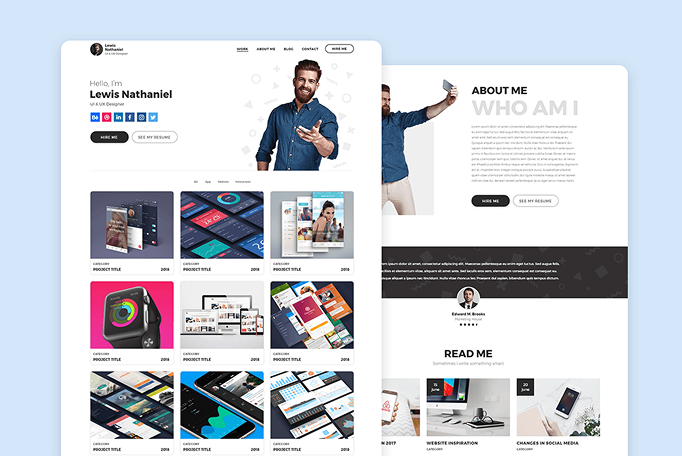
Developing a website on WordPress is all about customizing the website according to business requirements. For instance, if you are selling electronics, you can create a store using WooCommerce. Whereas, if you are offering some services such as designing, development, or writing services, you can create a portfolio website.
Plugins are optional software components that webmasters can install through the site’s backend to extend or enhance functionality. They may introduce a single feature or significantly transform how the entire website operates.
For example, WooCommerce is an e‑commerce plugin capable of converting any WordPress site into a fully functional store for both physical and digital products. The scope of the store, whether simple or highly advanced, depends on the selection of its many free and premium extensions. Plugins can also support features such as user registration or contact forms, image sliders, and anti‑spam tools for managing comments.
Free Open Source Content Management System (CMS)
WordPress is an open-source Content Management System (CMS) that allows users to install and customize it as per their requirements. Its functionalities can further be enhanced by installing plugins shared by developers for free or for a few bucks.
Businesses that are expanding and scaling up gradually can utilize WordPress for all their needs without worrying about its limitations. The plugins do the job and offer an easy way to enhance the functionality of the website according to the situation.
Without paying a hefty premium, WordPress even allows startups and small businesses to start their website without incurring a hefty fee. All they need is to buy a domain name and hosting, install WordPress, and start building the idea.
SEO Friendly Platform
One of the reasons to rely on WordPress is that it benefits you in many ways, especially when it comes to SEO. As we have already discussed, WordPress is used by almost every type of website, whether it be for an online store, a blog, or a service based websites.
The clean coding, mobile-responsive designs, and SEO plugins to fulfill Google’s guidelines play a vital role in ranking your website higher. In addition, the basic SEO setup in WordPress becomes easy with plugins like Yoast and RankMath that allow webmasters to add a sitemap, do basic SEO settings, and optimize speed.
Customizable and Scalable
WordPress is user-friendly and allows businesses to tailor it according to their own specific requirements. For instance, a portfolio website can be customized according to one’s skills and professional experience. Whereas an online store can be set up within minutes using WooCommerce, which allows easy integration of payments, adding products, and tracking the overall conversions and sales.
Even if your business is expanding, WordPress is completely flexible and allows you to scale it as much as you require. However, you don’t need to adjust anything on WordPress. Rather buy a hosting plan that offers more bandwidth, more space, and better speed.
Easy Access to Guides and Tutorials
No matter whether you have some hands-on experience with WordPress or not, you can learn it by experimenting with its features. Moreover, if you are stuck somewhere, you can easily find the solution on the WordPress community by posting the question.
If you want step by step tutorial, simply search for the video by typing in your problem. A lot of WordPress experts have already resolved the issue on their websites and want others to take advantage.
Multi-User Capability
Running a team of people with different skillsets requires different functionalities on the WordPress website. For instance, a content manager who needs to publish a blog post or edit the existing pages of WordPress can be given access to the CMS system.
In fact, administrators of WordPress can assign different roles to different people according to their requirements. Although they only get limited access, they can still carry out the work without any hassle.
What Does a WordPress Developer Do?
The digital world demands having a website that visitors love to explore. Especially when it comes to businesses, a website should look professional, catchy, and well-optimized and designed.
In this section, we will briefly explain what deos a WordPress website developer do. Let’s dive in.
Build and Customize Websites
- Set up WordPress installations and hosting environments
- Create pages, layouts, menus, and site structure
- Customize themes to match a brand’s look and feel
- Use page builders like Elementor, Divi, or Gutenberg to customize the website
Develop or Modify Themes & Plugins
Some developers go deeper into the technical side:
- Write custom themes from scratch
- Build or customize plugins to add new features
- Modify PHP, HTML, CSS, and JavaScript to tailor functionality
Optimize Performance
A good WordPress developer ensures the site is:
- Immediately loads and takes no more than 0.3 seconds
- The website must be secure and protected from any vulnerable threats and attacks
- The website must be responsive and can be viewed on all devices without any hassle
- The website must be SEO-friendly so that it can be easily ranked on Google.
Maintain and Update the Site
- Apply WordPress core, theme, and plugin updates
- Fix bugs or broken features
- Monitor security and backups
- Improve site performance over time
Integrate Tools and Services
WordPress developers need to perform various tasks to facilitate businesses in all respects. Some of them include:
- Payment gateways (Stripe, PayPal)
- Email marketing tools (Mailchimp, ConvertKit)
- Analytics (Google Analytics, Search Console)
- E‑commerce systems (WooCommerce)
Types of WordPress Developers
| Types | Responsbilities |
| Front‑end developer | Design, layout, user interface |
| Back‑end developer | Custom functionality, plugins, and databases |
| Full‑stack developer | Both front‑end and back‑end |
| No‑code/low‑code builder | Uses page builders and plugins to create sites without heavy coding |
Factors to Consider When Hiring a WordPress Website Development Company
When it comes to choosing the best WordPress website development company, a lot of factors need to be considered. Here are some of the important points to consider.
Deep knowledge of WordPress
The WordPress development company must have experienced resources offering services from buying a domain and hosting to WordPress basic settings, including theme customization, plugins, API integration, designing, and many more.
The development company must be aware of how to use page builders, Gutenberg blocks, and follow WordPress standard practices. Moreover, the company must be able to deliver top-notch security measures to prevent any hacking, malware, or data breach attacks.
Strong Portfolio and Past Clients
A WordPress development company isn’t about all claims and no real results. The best company must have a strong portfolio in the industry you’d like to get your website developed for. For instance, if you are an online storeowner and need to develop a fully functional e-commerce store with payment integration, make sure to ask for sample websites.
Communication and Project Management
Effective collaboration with a WordPress development company relies on strong communication and project handling. Some of the important factors include:
Clear timelines and milestones: You should know what will be delivered and when, so the project stays on track.
A dedicated project manager: One point of contact ensures smooth coordination and quick issue resolution.
Transparent communication channels: Whether through email, Slack, or project tools, you should always know how to reach the team.
Regular progress updates: Consistent check-ins keep you informed, prevent misunderstandings, and allow timely adjustments.
Customization vs. Templates
Customization and templates represent two different approaches to building a WordPress site. Template‑based websites are quicker and more affordable because they use pre‑designed layouts that only require adjustments.
Custom-built websites are created from scratch, giving you full control over design, functionality, and scalability as your business grows. A reliable development company will walk you through both options, explain the benefits and limitations of each, and help you choose the one that truly fits your goals rather than pushing a one‑size‑fits‑all solution.
SEO Knowledge
SEO knowledge is essential because even a well‑designed website won’t perform if people can’t find it. A WordPress development company should understand technical SEO elements like schema markup, sitemaps, and robots.txt, along with strong on‑page SEO practices that help search engines interpret your content. They should also prioritize site speed and Core Web Vitals to ensure fast, smooth performance, and make sure the site is fully mobile‑responsive so users on any device have a seamless experience.
Scalability and Future Proofing
Scalability and future‑proofing are about making sure your WordPress website continues to support your business as it grows.
The scalability of the chosen theme is crucial because it determines how easily your site can handle more content, more traffic, and more complex functionality over time. A well‑built, lightweight, and regularly updated theme or framework will be more stable, secure, and flexible. The ability to add new features later is another key part of future‑proofing.
A good development company will develop the site using custom post types, reusable components, and clean plugin choices so new features can be added without any hiccups.
Security Practices
Security practices are essential because your website needs protection from threats, vulnerabilities, and data loss. A reliable WordPress development company should know how to safeguard your site through strong malware protection, regular theme and plugin updates, and by recommending secure and reputable hosting environments.
They should also set up proper backup systems so your data can be restored if something goes wrong, and ensure SSL is implemented to keep user information encrypted and secure. In short, strong security practices help keep your website stable, trustworthy, and protected as it grows.
How DevSouls Helps Businesses with WordPress Website Development?
DevSouls empowers businesses by building high‑performance, visually inspiring, and optimized WordPress websites tailored to their goals. Here’s how we help you make an impact:
Custom, Business‑Focused WordPress Design: Whatever business you are in, get it done with DevSouls. We offer customized solutions to help you achieve your business’s goals, branding standards, and customer-centric solutions.
Continuous Updates, Maintenance & Troubleshooting: DevSouls provides ongoing updates, performance checks, security enhancements, and quick issue resolution—keeping your website running smoothly without interruptions.
Get a website for your business with highly experienced developers, designers, and marketers.
Bonus for Limited Time: Get any WordPress Development Plan from DevSouls and get a free domain and hosting for a year.